A guide to ETag caching in Django and SvelteKit
Learn how to implement efficient ETag-based client-side caching in Django and SvelteKit applications to reduce bandwidth usage and improve performance for users with slow internet connections.
I am building a school management system with a built-in AI LMS for students. However, in Pakistan, many schools are in rural areas where the internet is slow. So, I want to make the site use client-side caching heavily, but I don’t want to show outdated cached data to users either. So I implemented an ETag-based caching system in my application.
Caching Types
There are many ways of caching, mainly server-side caching, where queries or HTML pages are cached (hopefully next blog 🤞)
Client-side caching is where HTTP responses are cached on the client.
For my use case, I want to minimize network usage, which is why client-side caching makes a lot of sense for me.
Common Caching Methods
The most common type of caching is sending a cache header. Cache-Control: public, max-age=31536000
public means the response can also be cached by proxies between the client and server. private means it is only cached in the client’s browser.
There are also more conditional caching methods, such as time-based caching, where the browser sends the If-Modified-Since: Sat, 05 Apr 2025 17:45:57 GMT header with the request. If the content has changed since that time, the server will respond with the new data; otherwise, the server sends the 304 HTTP code with an empty body.
Etag Caching
Entity tag caching works in the same way as time-based caching, but instead of an If-Modified-Since header, the browser sends If-None-Match: "15f0fff99ed5aae4edffdd6496d7131f". The server compares the hash: if it has changed, it sends the data; if not, it sends back a 304 with an empty body.
How I implemented it
Django
For the backend side, I created an ETag helper function that generates an ETag for my query.
def generate_etag_for_collection(queryset, prefix=""):
    """
    Generate an ETag for a Django queryset using a single aggregation query.
    Requires an indexed 'updated' field for best performance.
    """

    aggregation = queryset.aggregate(
        count=Count('pk'),  # Use 'pk' or 'id' for counting
        max_updated=Max('updated')
    )

    count = aggregation.get('count', 0)
    max_timestamp_dt = aggregation.get('max_updated')

    # Convert datetime to timestamp (handle None case)
    latest_timestamp = None
    if max_timestamp_dt:
        # Be mindful of timezones if your 'updated' field is timezone-aware
        # using timestamp() handles timezone conversion to UTC epoch correctly if aware
        latest_timestamp = max_timestamp_dt.timestamp()

    # Create a unique identifier
    etag_raw = f"{prefix}_{count}_{latest_timestamp or 'initial'}"
    return quote_etag(etag_raw)
When an entity is added or updated, the ETag changes, so the server sends the data and the client updates its cache.
In the Django REST Framework viewset, I check the If-None-Match header and send the ETag:
def list(self, request, *args, **kwargs):
        """
        Override list method to add ETag support
        """
        queryset = self.filter_queryset(self.get_queryset())

        # Generate ETag based on grades collection
        etag = generate_etag_for_collection(queryset, "grades")

        # Check If-None-Match header
        if_none_match = request.META.get('HTTP_IF_NONE_MATCH')
        if if_none_match and if_none_match == etag:
            return Response(status=status.HTTP_304_NOT_MODIFIED)

        # Continue with normal serialization if content has changed
        serializer = self.get_serializer(queryset, many=True)
        response = Response(serializer.data)
        response['ETag'] = etag
        return response
SvelteKit
On the Svelte side, I store my cache data inside the IndexedDB and interact with it using the dexie library.
This function reads the data from the cache before fetching, so the state updates immediately. Then the data is requested in the background; if the response is anything other than 304, the state is updated with the new data.
export async function getCachedData<T>(path: string): Promise<T | null> {
  try {
    // First check memory cache
    // const cacheKey = `data_${path}`;
    // const cachedData = getFromCache<T>(cacheKey);
    // if (cachedData) return cachedData;

    // If no Dexie, return null
    if (!db) return null;

    // Then check Dexie
    const result = await db.data.get(path);
    const cacheItem = result?.value as CacheItem<T> | undefined;

    if (cacheItem) {
      // Check if data is expired
      const now = Date.now();
      if (now - cacheItem.timestamp > CACHE_TTL) {
        // Clean up expired data asynchronously
        db.data.delete(path)
          .catch(error => {
            console.warn('Error deleting expired data:', error);
          });
        return null;
      }

      // Check for version mismatch
      if (cacheItem.version !== APP_CACHE_VERSION) {
        console.log(`Cache version mismatch for ${path}: ${cacheItem.version} !== ${APP_CACHE_VERSION}`);
        // Clean up outdated data asynchronously
        db.data.delete(path)
          .catch(error => {
            console.warn('Error deleting outdated data:', error);
          });
        return null;
      }

      // Save to memory cache for faster access next time
      // saveToCache(cacheKey, cacheItem.data);
      return cacheItem.data;
    }

    return null;
  } catch (error) {
    console.warn('Error accessing Dexie for data:', error);
    return null;
  }
}
Why not wait for HTTP 304 first?
In my testing on 3G internet, an empty response takes about 2 seconds, so the application would not feel snappy. Instead, I update the state before the response arrives. That can cause some flickering when the data changes, but I am OK with that for now.
Edge Cases
Development
During development, the data format might change and that may cause some client-side errors because client-side cached data may be missing some key. For that, I have implemented a versioning system. If there is a version mismatch, the cache data is deleted, and a new request is sent without ETag so that the server sends normal data that is then cached.
Performance
Most of my users have low-end Android phones. To minimize RAM use, I don’t keep the cache in memory, and when a component unmounts, I clear its state if it was using global state.
Result
Cached Result
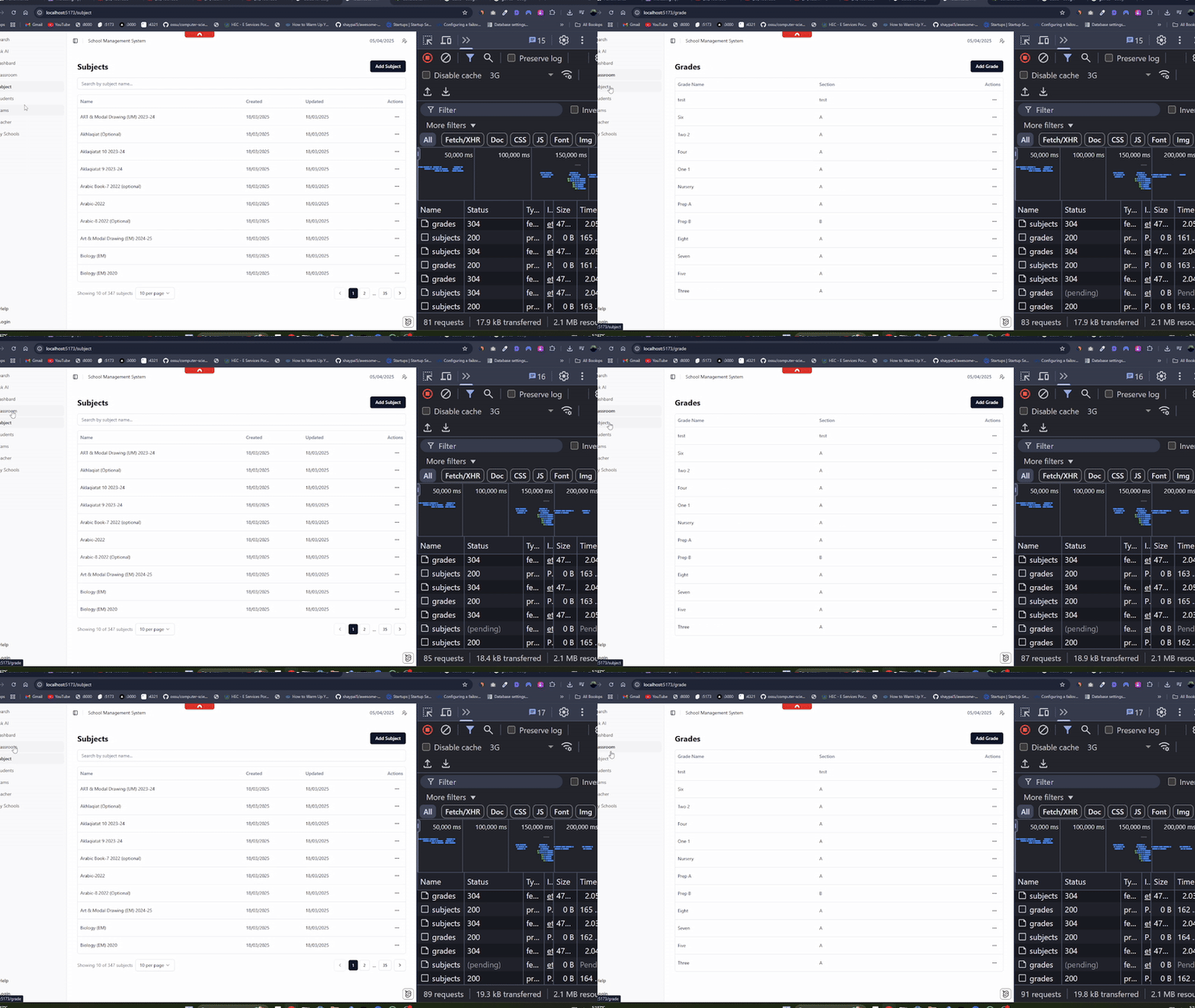
As you can see in the cached response above, data loads instantly from IndexedDB without waiting for network requests. The application feels snappy even on slow connections.
Non-Cached Result
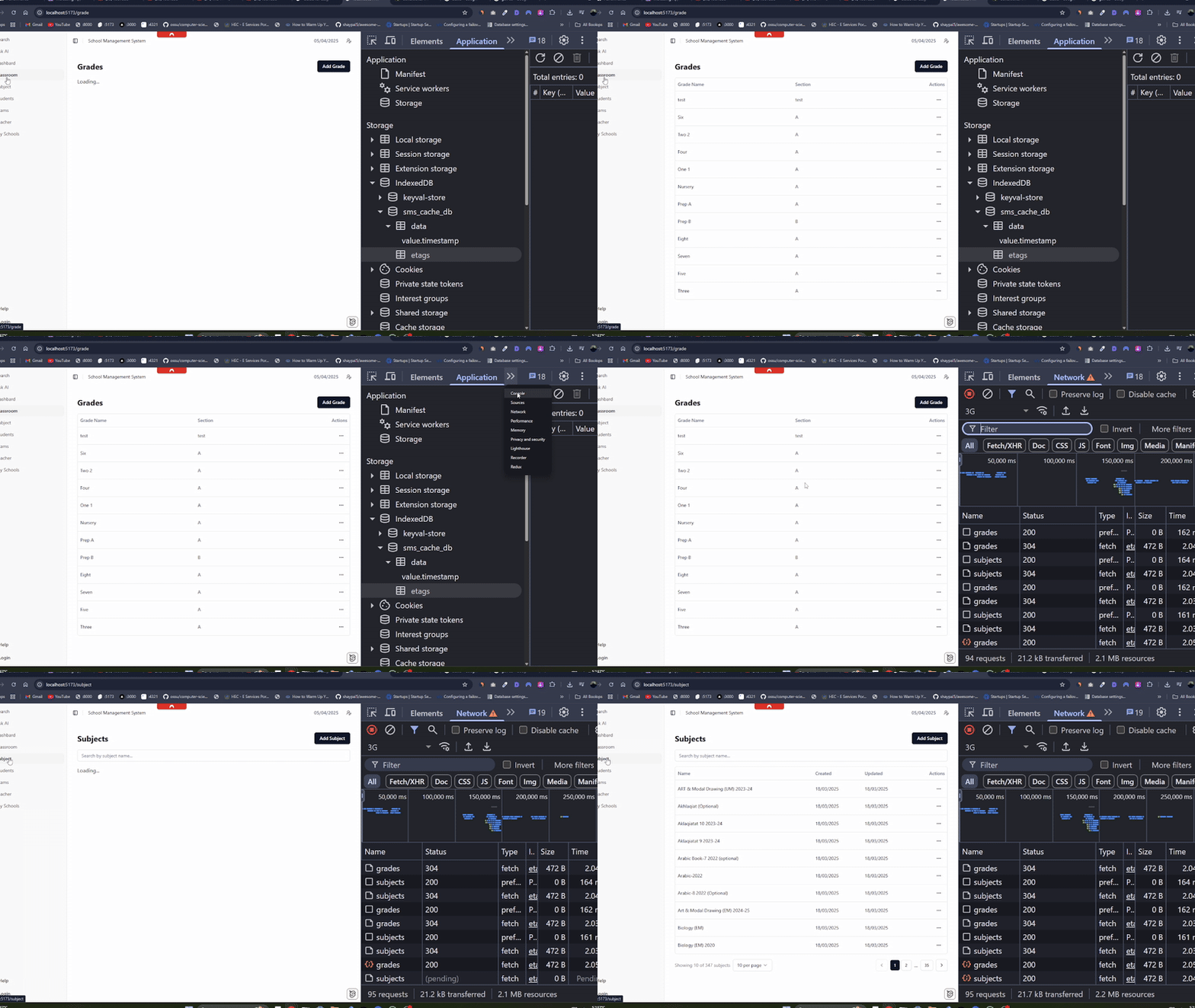
In contrast, the non-cached response demonstrates the traditional loading experience, where users must wait for the full network round-trip before seeing any data.